Easy Trace: Learn to Draw
- 4.4
- Rating
- 500.00K
- Installs
- Free
- Price
 Analysis by App-foxy
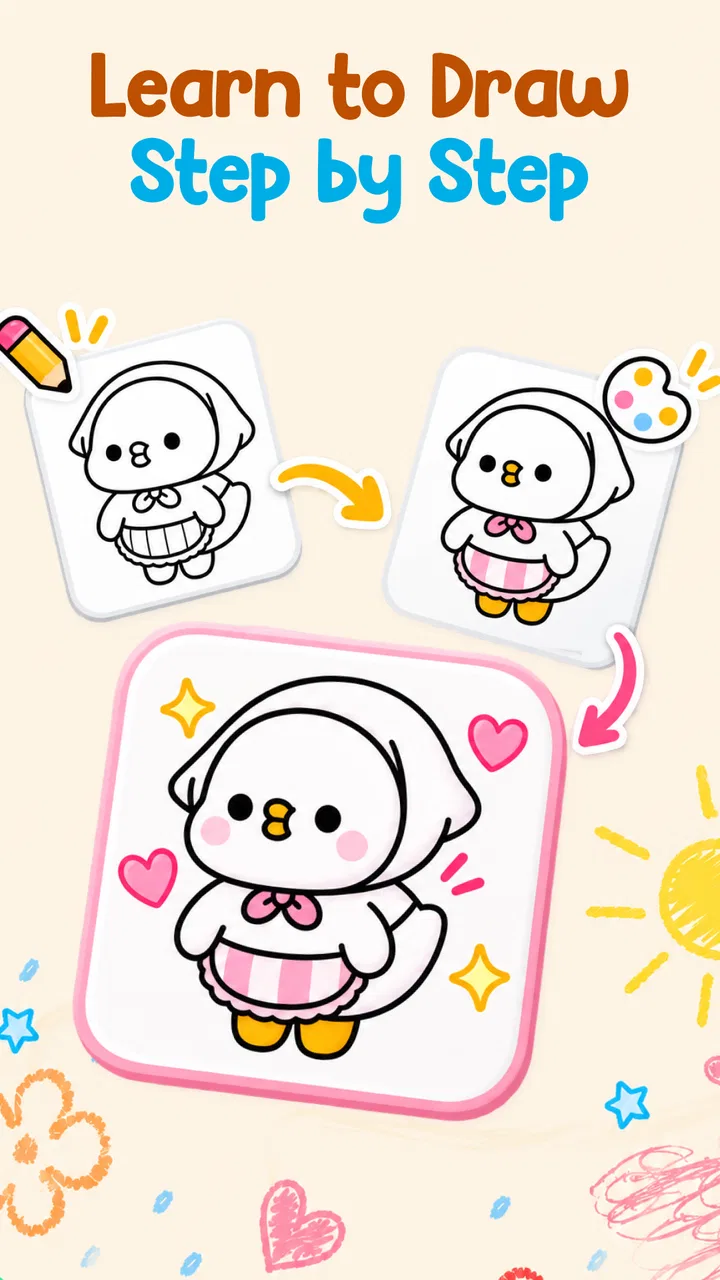
I approached Easy Trace: Learn to Draw as someone looking for a practical way to start drawing without feeling lost on a blank page. The app sits in the Art & Design category and is built around tracing, guided lessons, and regular practice rather than a large professional canvas. That focus matters: it is less about producing polished artwork immediately and more about helping your hand understand shapes, proportions, and simple drawing steps.
My first impression was that the concept is easy to understand. You choose a lesson or tracing activity, follow the visual guidance, and repeat the movement yourself. There is no need to begin by choosing complicated brushes, layers, or advanced tools. For a child, a complete beginner, or an adult returning to drawing after years away, that lower starting barrier is the main reason to consider it.
TLAppsHub presents the app as a free learning tool for everyone, and its current version is 1.0.5. It has reached over one hundred thousand installs and holds a 4.8 average from more than two hundred ratings. Those figures suggest that the straightforward approach is connecting with users, although I would still judge it by how well it fits your learning style rather than treating popularity as proof that it will suit every artist.
You May Also Like

 Blood Strike: 2.5 Anniversary
Blood Strike’s Loadouts Turn Every Drop Into a Tactical Gamble
A close look at Blood Strike’s custom loadouts: how fast access to signature weapons reshapes its battle royale rhythm, rewards preparation, and narrows the gap between fights.

 Pandora - Music & Podcasts
Pandora’s Music Is Easy to Start, but Harder to Recover
Pandora’s strength is its low-effort path from a seed to a station. Its weak spot is how much confidence it asks you to place in connection, setup, and quiet recovery.

 8 Ball Pool
 Is Built on Rivalries, Rematches, and Routine
A close look at the rivalries, rematches, shared routines, and unanswered safety questions that turn a quick pool match into a persistent mobile community.

 Samsung Music
’s Quiet Strength Is Playing What You Already Own
Its reach comes less from spectacle than from dependable access to a personal library. That simplicity is both the app’s strongest retention engine and its ceiling.

 AccuWeather: Weather Radar
AccuWeather Review: A Quick, Clear Forecast for Everyday Decisions
For everyday plans, the best forecast is the one you can understand quickly. AccuWeather makes rain timing, radar, and local conditions easy to act on, with a few trade-offs.

 Hill Climb Racing
Why Hill Climb Racing Still Turns Crashes Into One More Run
A tiny car, a bumpy hill and one more upgrade: Hill Climb Racing keeps resurfacing because its simple chaos makes every near-miss feel personal.
More From Our News Desk



How I Would Decide Whether Easy Trace Fits
When I decide whether Easy Trace deserves a regular place on my device, I look beyond the first few satisfying drawings and ask what I can still learn from it once tracing feels familiar. I’d weigh whether its guided structure helps me practice deliberately, and whether I’m ready to carry those skills into sketches of my own. That longer view is what makes the difference between a pleasant first week and a useful habit.
Start with your actual drawing problem
The most useful question is not whether you want to “learn art” in the broadest sense. It is what usually stops you from drawing. If the problem is that you cannot turn a reference into basic lines, tracing can give you a physical starting point. If you struggle with sequence, step-by-step lessons can make a subject feel less intimidating. If you understand the basics but lack consistency, daily practice can provide a simple reason to pick up a pencil again.
That makes this app a better match for foundational practice than for open-ended digital illustration. I would choose it when I want structure and a clear next action. I would not choose it as my only tool if I already work comfortably with anatomy, perspective, shading, or finished digital compositions. The app’s value is in reducing the first obstacle, not replacing a complete art curriculum.
Think about the kind of practice you will actually repeat
Drawing improvement depends heavily on repetition, but repetition only helps when the exercise is manageable. A lesson that looks impressive but feels too difficult can make a beginner stop using an app after one session. The combination of tracing and short guided stages is useful because it lets you concentrate on one movement at a time instead of trying to solve an entire picture in a single attempt.
I also like the idea of separating practice into two modes. Tracing can help you become familiar with the outline and proportions of a subject, while step-by-step work encourages you to understand how the image is assembled. Those are not identical skills. Tracing may build hand confidence quickly, but guided construction is more useful when you eventually want to draw without placing a reference directly underneath your lines.
Check your expectations before you begin
A tracing app can make a drawing look better sooner, but it cannot automatically teach observation, visual memory, or creative decision-making. If you follow a line accurately, you may produce a recognizable result without fully understanding why the shape works. I see that as a normal limitation of the method, not a reason to dismiss it. The best results come from treating tracing as one stage of learning rather than the final destination.
My practical suggestion is to trace once for confidence, then repeat the same subject while looking at the guide less often. On a third attempt, try drawing the main shapes from memory or use the lesson as a reference rather than a path to copy exactly. This turns a passive-looking exercise into a progression from coordination to observation. It is one of the simplest ways to get more educational value from the app than the basic activity alone provides.
What makes the app approachable
Easy Trace: Learn to Draw is free, which removes one of the biggest barriers for a curious beginner. You can explore the learning approach without committing money first. Its Everyone age rating also makes it suitable for family use in principle, especially when a parent wants a calm creative activity rather than a competitive game. I would still encourage an adult to help younger children understand that tracing is practice, not a test of artistic talent.
The app is also compatible with Android devices running version 8.0 or later. That gives it a reasonably broad reach for people using older phones or tablets, although the experience will still depend on the screen size and responsiveness of the particular device. Drawing on a small phone can feel cramped, especially when you need to make a controlled curve. A larger screen is likely to be more comfortable for longer sessions, while a phone remains convenient for quick practice.
Where it wins against a blank canvas
The strongest advantage is psychological. Opening a blank canvas asks you to decide what to draw, how large it should be, where the first line belongs, and whether the result looks right. For a beginner, those decisions can arrive all at once. Guided tracing removes much of that uncertainty and lets you focus on the movement of your hand.
In my experience, that makes the app particularly useful after a busy day. Imagine having ten minutes before dinner or while waiting for an appointment. A full drawing course may feel like too much effort, but a small tracing exercise gives you a defined task. You can finish a short session without preparing materials, searching for a reference, or deciding on a subject. That convenience is not flashy, but it is exactly what can turn occasional interest into a habit.
It also has an advantage over random tutorial videos. A video can explain a technique clearly, yet it is easy to watch without drawing along. An interactive lesson places the activity in front of you and encourages immediate practice. I still think videos are better when I want detailed explanations of perspective, color theory, or anatomy, but this app is more direct for someone whose priority is to put lines on paper or screen right away.
Use tracing to study, not just to copy
One less obvious strength is that tracing can be used as a diagnostic tool. If your hand repeatedly drifts outward on curves, you may need slower wrist movement. If you lose proportion when connecting separate parts, you may be starting with details before establishing the larger shape. Watching where your line goes wrong tells you more than simply seeing that the final drawing is imperfect.
I would use a light-touch workflow: first follow the guide slowly, then repeat with fewer corrections, and finally compare the result with the original structure. Pay attention to where the subject changes direction, where spaces appear between shapes, and which lines are genuinely important. This approach helps prevent the common mistake of tracing every small detail while missing the overall form.
Another useful trade-off is speed versus understanding. Moving quickly can feel satisfying and may produce a cleaner-looking result, but slowing down around corners and transitions gives your hand more useful information. The app is at its best when you resist the urge to finish merely for the sake of finishing. A patient five-minute exercise can teach more than several rushed attempts.
Daily practice is most valuable when it has a purpose
The daily-practice angle sounds simple, but I would not treat it as a demand to draw for a long time every day. A better routine is to assign each session one goal. On one day, focus on smooth curves. On another, concentrate on keeping proportions consistent. Later, repeat an earlier lesson without relying so heavily on the guide.
This turns a collection of exercises into a learning path. I would also keep a small record outside the app, such as saving one result each week or writing down what felt difficult. That makes progress easier to notice. Beginners often improve gradually and assume nothing is changing because each individual drawing still contains mistakes. Comparing earlier and later attempts can reveal better control even before the artwork looks dramatically different.
Where other categories may be a better fit
If you want a full digital art studio, a dedicated drawing or painting app will probably be more suitable. Those tools usually prioritize brushes, layers, color control, selection tools, and freehand experimentation. They are better when the goal is to create an original illustration from a rough idea. The trade-off is that they can feel overwhelming to a new user, and they do not necessarily provide the same guided starting point.
If you want formal instruction, a structured course platform may offer deeper explanations and a broader sequence of subjects. That kind of alternative is preferable when you need lessons about perspective, light, composition, or anatomy rather than repeated line practice. The downside is that courses often require more time and attention, and the learning can become passive if you spend more time watching than drawing.
If your main interest is copying real objects or people, a reference-focused workflow may be better. You could work from photographs, still life, or live observation and build your own exercises around them. That approach develops interpretation more directly, but it is harder at the beginning because there is no prepared path to follow. Easy Trace is the gentler option when you need confidence before tackling less controlled references.
For children who prefer rewards, characters, or game-like progression, a drawing game may hold attention longer. Easy Trace is more focused and quieter. That can be a benefit for a child who wants to draw, but it may not be enough for someone looking primarily for entertainment. Likewise, experienced artists may find the guided format restrictive once they want to make independent choices about style and composition.
What switching away would mean
Moving from this app to a more advanced alternative is not a failure; it can be the natural next step. The useful skills you practice here—following contours, noticing proportions, and breaking an image into parts—can transfer to other drawing methods. The main cost is that a different tool may require learning a new interface or building your own practice plan.
Moving in the opposite direction, from a professional drawing app to Easy Trace, may feel limiting if you rely on layers or detailed editing. You would be trading creative control for simplicity. I would make that switch when I feel stuck or inconsistent, using the guided exercises as a reset rather than expecting them to replace my main creative workspace.
There is also a habit cost to consider. A structured app can make it easy to practice while the instructions are present, but you should eventually test whether you can draw without them. I recommend alternating guided work with a small independent sketch. If the independent sketch never improves, spend more time studying the construction behind the lesson instead of only tracing its outer edge.
Small habits that improve the experience
Use a stylus or a comfortable fingertip if your device supports it, but do not assume extra hardware is required to begin. The important thing is controlled movement, not expensive equipment. Keep your hand relaxed and zoom or reposition only when necessary; excessive adjustment can interrupt your sense of the whole shape.
Try not to erase every imperfect line immediately. Early corrections can hide the pattern of your mistakes. Completing an attempt first gives you something to evaluate, and the next repetition becomes more purposeful. I would especially keep the first version of a difficult lesson because it provides a useful comparison later.
Finally, do not measure success only by whether the finished image looks attractive. Ask whether you understood the order of the shapes, whether your lines became steadier, and whether you could reproduce part of the subject without direct guidance. Those questions better reflect what a learning app can realistically provide.
My recommendation
I recommend Easy Trace: Learn to Draw to complete beginners, casual learners, parents seeking an accessible creative activity, and anyone who wants a simple daily drawing routine. It is a sensible first step when the blank page is the main enemy. The free price and approachable format make it easy to try, while the tracing and guided structure give each session a clear purpose.
I would skip it as a primary tool if you already need advanced digital painting controls, detailed art theory, or unrestricted creative work. In that situation, a professional drawing app or a deeper instructional course will serve you better. You may still find value in returning to this kind of guided practice when your hand needs a confidence-building exercise, but it should not be your entire learning plan.
Overall, TLAppsHub has chosen a focused direction instead of trying to turn the app into every kind of art tool at once. That focus is its biggest strength and its clearest limitation. Use it as a bridge from hesitation to regular practice, then gradually reduce your dependence on tracing and apply the same observations to independent sketches. For the right beginner, that is a practical and encouraging way to start drawing.
FAQs for Easy Trace: Learn to Draw
01What is Easy Trace: Learn to Draw and how does it work?
Easy Trace: Learn to Draw is an innovative app designed to help users enhance their drawing skills by tracing. The app uses augmented reality to project images onto paper, allowing users to trace and learn various drawing techniques. It’s suitable for beginners and offers a range of templates and tutorials to guide users through the drawing process.
02Is Easy Trace: Learn to Draw suitable for all ages?
Yes, Easy Trace: Learn to Draw is designed for all age groups. The app provides user-friendly features that cater to children, teenagers, and adults. With various levels of difficulty and step-by-step guides, it ensures that users of different skill levels can enjoy and benefit from the app's offerings.
03What devices are compatible with Easy Trace: Learn to Draw?
Easy Trace: Learn to Draw is available for both Android and iOS devices. It requires an AR-enabled smartphone or tablet to function optimally. Users should ensure their devices are updated to the latest operating system to enjoy all features without any compatibility issues.
04Does Easy Trace: Learn to Draw require an internet connection?
While Easy Trace: Learn to Draw can operate offline for basic tracing functions, an internet connection is required to access additional templates, download updates, and utilize any cloud-based features. It's recommended to connect to Wi-Fi for the best experience, especially when downloading large content packages.
05Are there any in-app purchases or subscriptions in Easy Trace: Learn to Draw?
Yes, Easy Trace: Learn to Draw offers in-app purchases. While the app provides a selection of free templates and features, users can purchase additional templates, premium tutorials, and tools. There is also an option for a subscription that unlocks all content and removes ads, providing a more comprehensive learning experience.
Pros
- User-friendly interface for beginners.
- Wide variety of drawing templates.
- Step-by-step guidance available.
- Offline mode for uninterrupted practice.
- Supports multiple languages.
Cons
- Limited advanced tutorials.
- Occasional app crashes reported.
- Ads can be intrusive at times.
- In-app purchases can be costly.
- No option for custom brushes.

Easy Trace: Learn to Draw
Gallery